Icon of program: Assistant

Assistant for Google Chrome

  • Free
  • 4.2
    3
  • 14
  • V0.0.1
Free Download for Google Chrome

View an ad to download for free

How to Use Assistant for Chrome

You can use Assistant for Chrome on the Chrome Web Store.

Top Recommended Alternative

Now you can focus and be more productive, stay focused and save time.

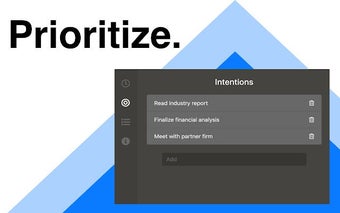
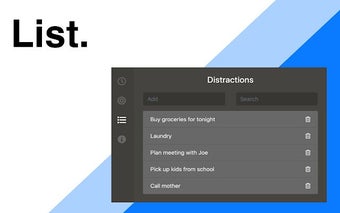
It works by blocking websites, blocking time, and blocking tasks.

This tool is not a distraction-free application and is not meant to be used for long periods of time.

In order to use Assistant, you need to install the Google Chrome browser, so if you already have Chrome installed, you do not need to download another browser.

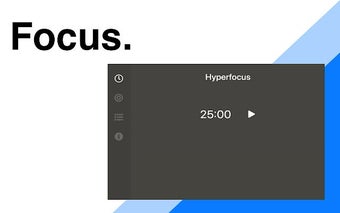
To be able to use this feature, you need to activate the permission "Hyperfocus" in the settings.
 0/4

App specs

Also available in other platforms

Program available in other languages


Icon of program: Assistant

Assistant for Google Chrome

  • Free
  • 4.2
    3
  • 14
  • V0.0.1
Free Download for Google Chrome

View an ad to download for free


User reviews about Assistant

Have you tried Assistant? Be the first to leave your opinion!

Add review

You may also like

Explore Apps

Latest articles

Laws concerning the use of this software vary from country to country. We do not encourage or condone the use of this program if it is in violation of these laws.

Softonic

Is Assistant safe?

Score result: Clean

This file passed a comprehensive security scan using VirusTotal technology. It is safe to download.

  • Virus free
  • Spyware free
  • Malware free
  • Verified by Security Partners

    VirusTotal logo

Scan Info

Last scan
Friday, April 26, 2024
Scan provider
VirusTotal

Softonic security commitment

Assistant has been thoroughly scanned by our advanced security systems and verified by industry-leading partners. This file comes from the official developer and has passed all our security checks, showing no signs of viruses, malware, or spyware. For more information, visit our Security and Trust Center

Signed in to Softonic as